A Textual TUI that configures the whole template: pick feature packs, watch the index
fill, manage backups, audit ignore rules — and write vdb-config.yaml without
hand-editing a thing.
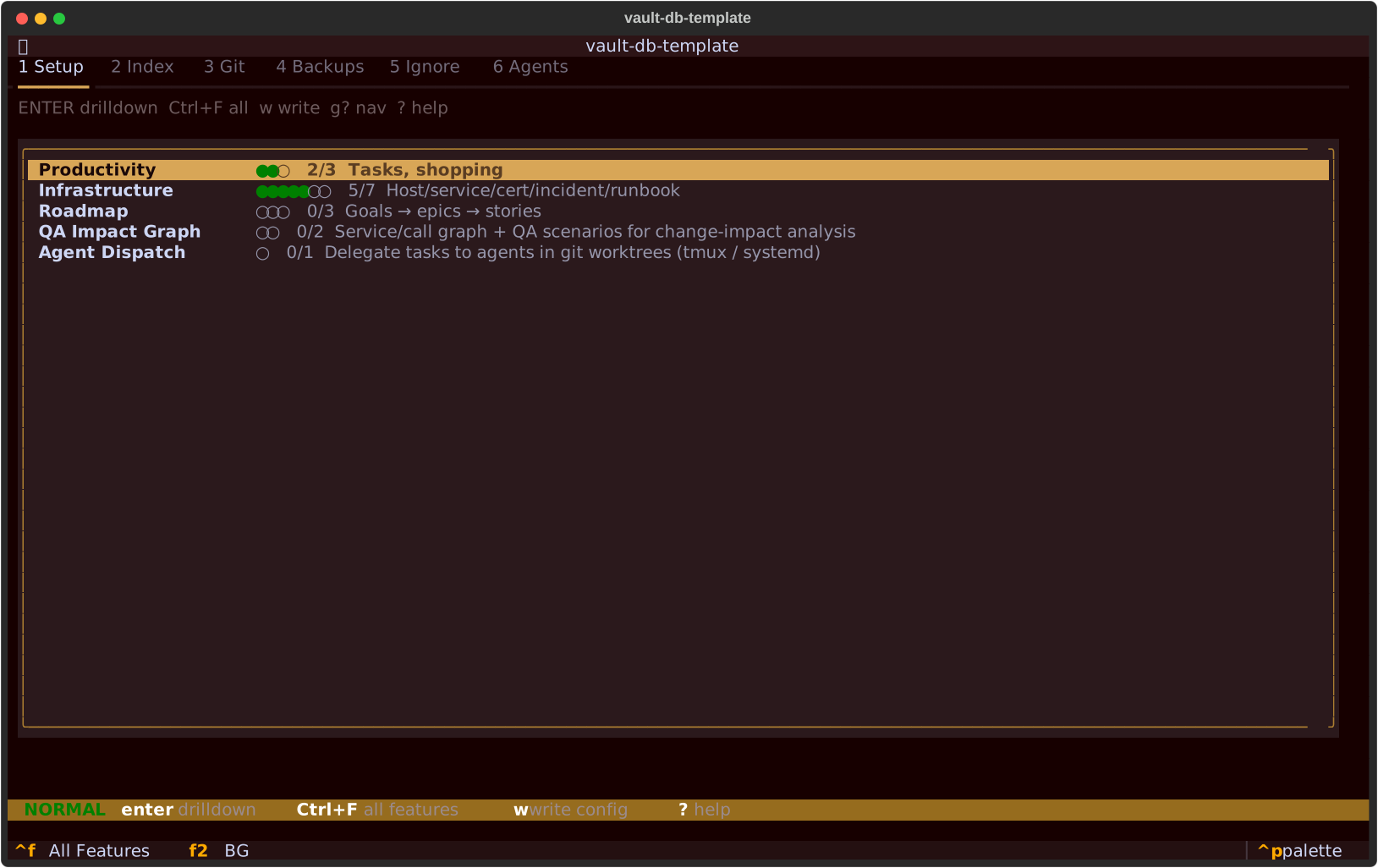
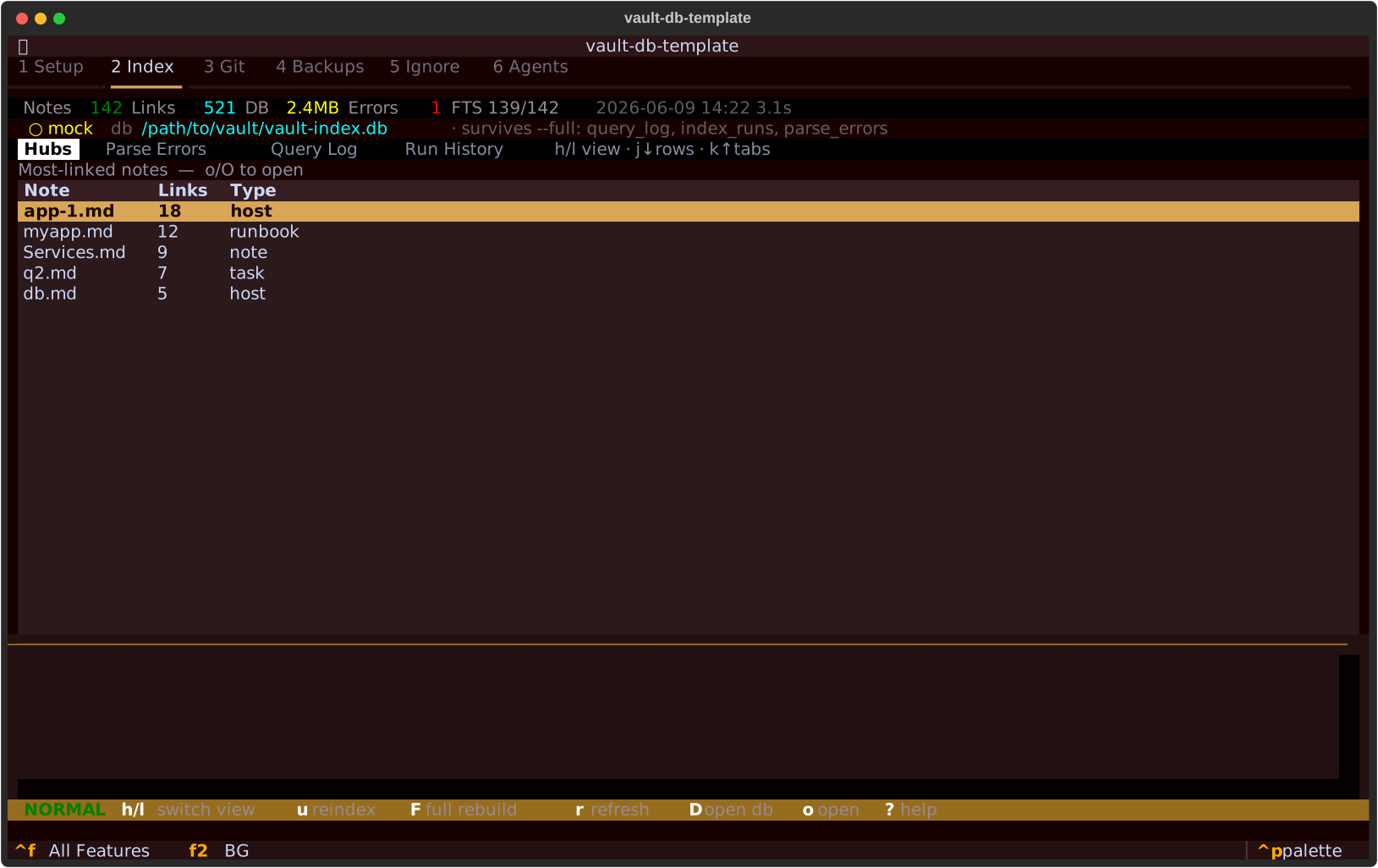
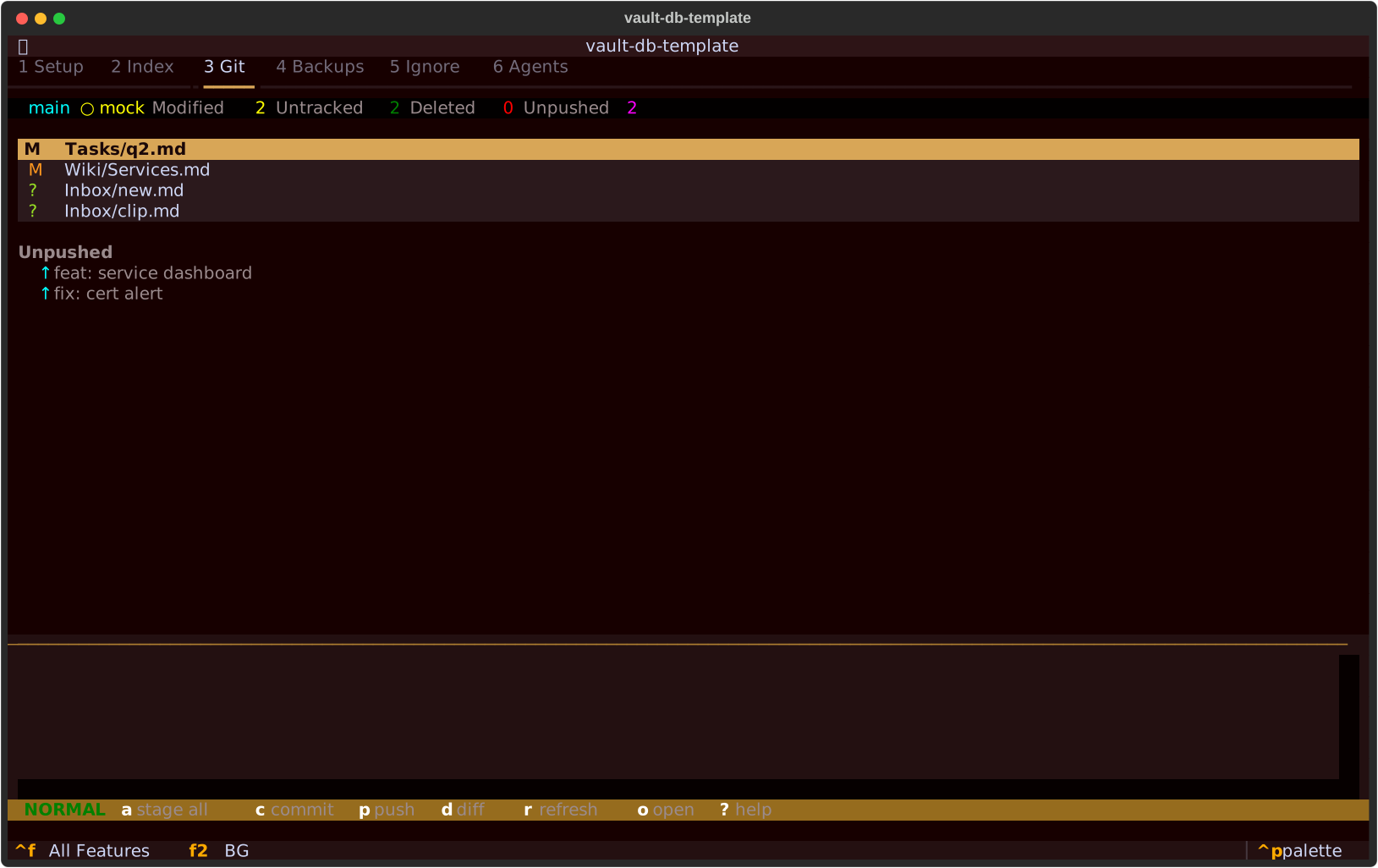
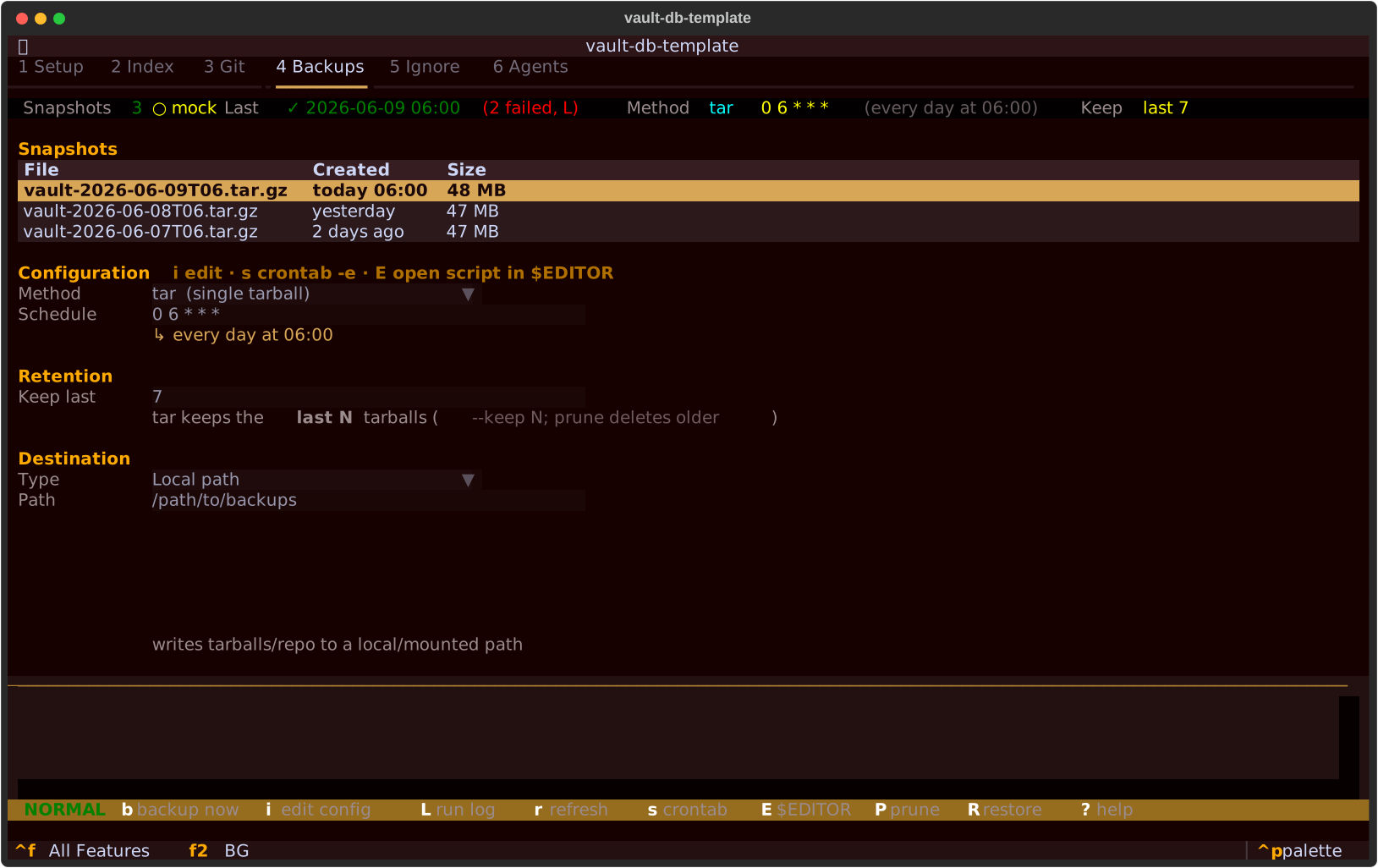
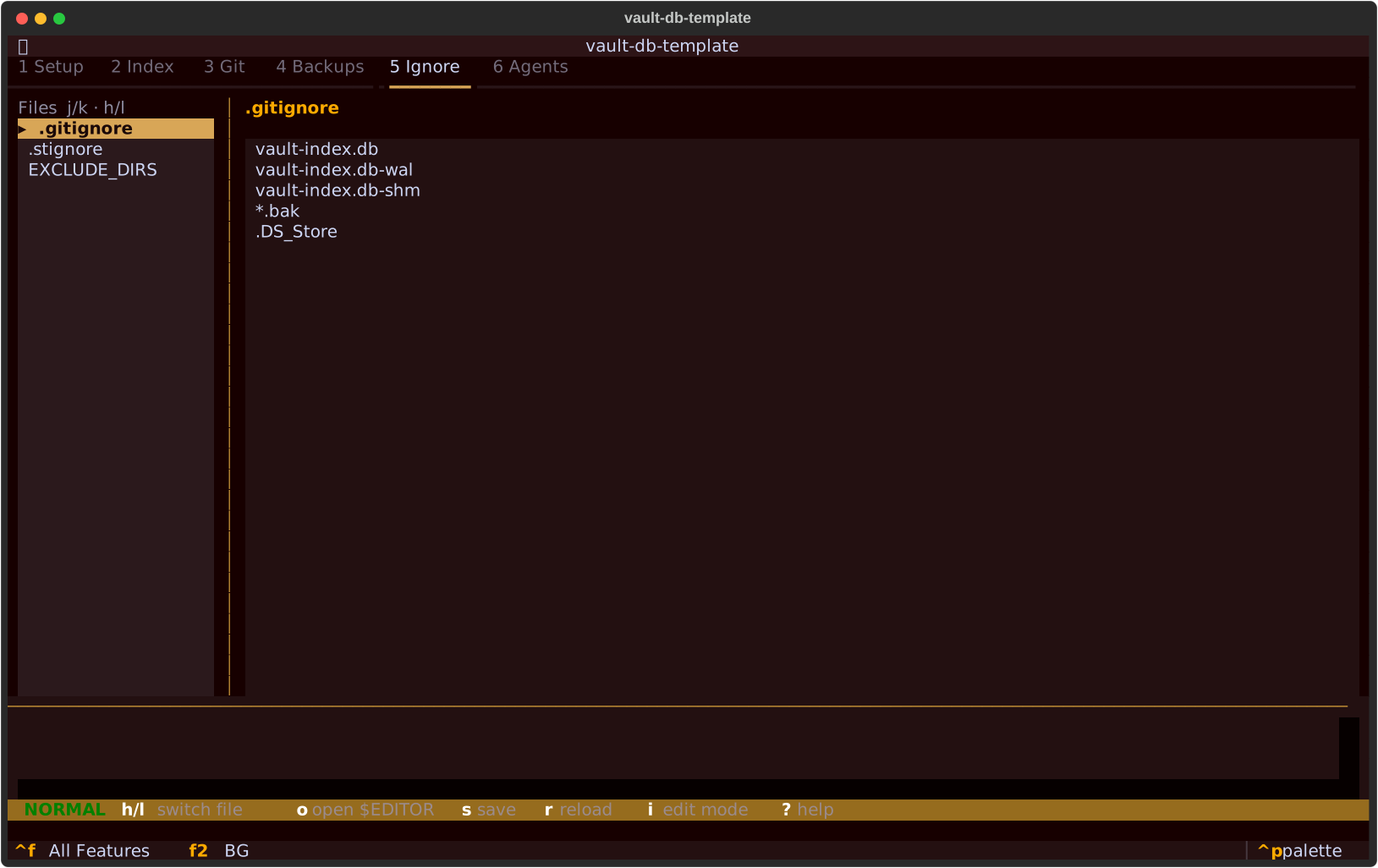
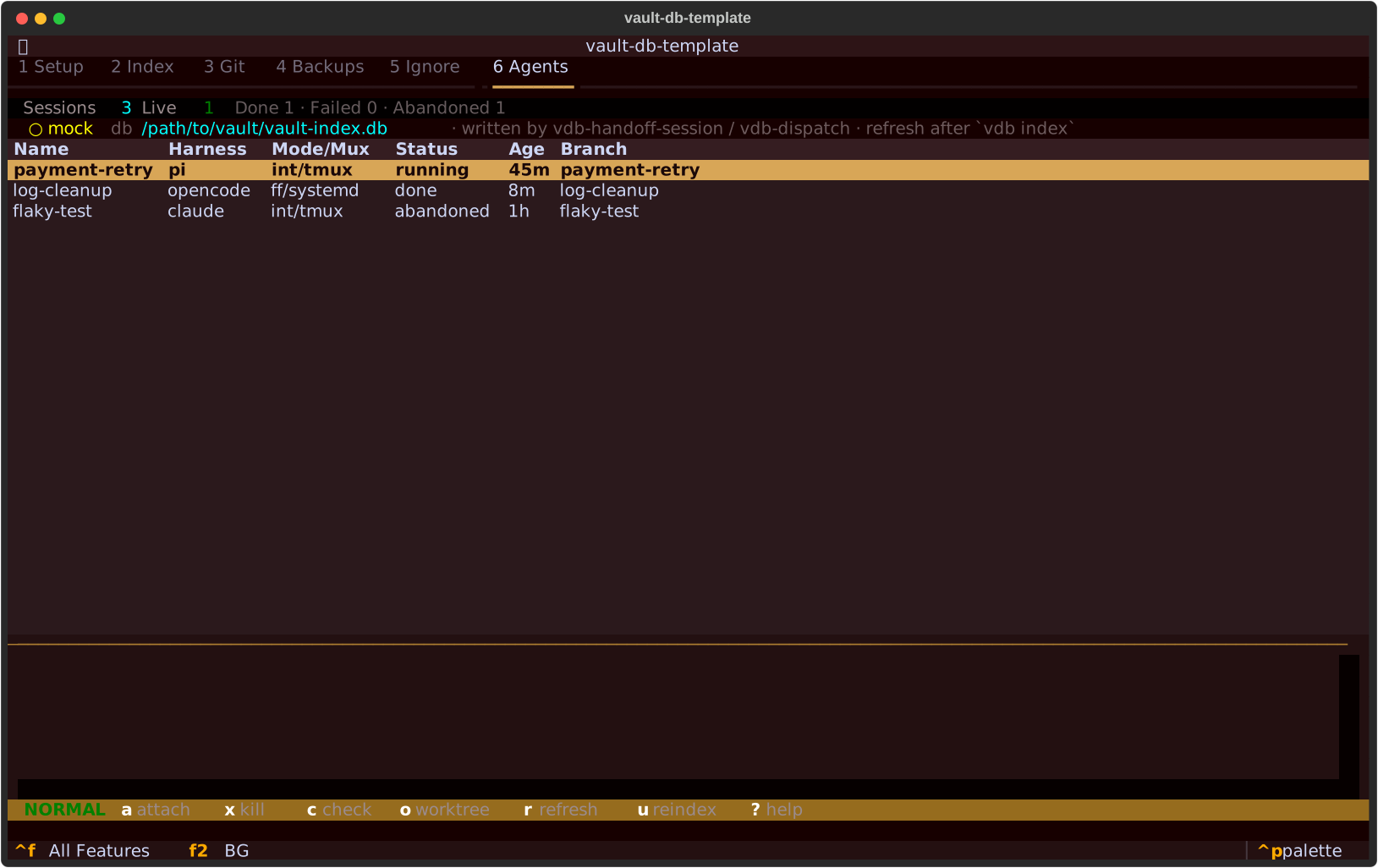
1 · Setup — Toggle feature packs and table groups — infra, roadmap, qa, dispatch — with the productivity tables always on. Each toggle maps to an entry in ENABLED_TABLE_GROUPS, so you enable only the domain tables your vault actually uses and keep the schema lean. Your selection is persisted to vdb-config.yaml; vdb config apply then bakes the resolved paths into the engine copies for the standalone / systemd path.2 · Index — Live vault-index.db stats with per-table row counts, so you can see at a glance whether a group is actually being populated. Kick off a full or incremental rebuild without leaving the TUI — full re-creates the content tables, incremental only touches files whose mtime moved. Surfaces parse errors from the auto-healing parse_errors table so broken frontmatter is easy to spot.3 · Git — Working-tree status and recent commits for the vault repo in one pane. Check what changed before re-indexing, and confirm a backup or sync ran clean before you commit. Handy when the vault itself is version-controlled and you want the index to track a known-good revision.4 · Backups — Snapshot list, run log, and one-key restic or tar backups — run before any destructive change such as a schema migration or a full re-index. Restic gives deduplicated, incremental snapshots to a local or remote repo; tar is the zero-dependency fallback. The run log records each backup's method, destination, and outcome so you have an audit trail.5 · Ignore — .gitignore, .stignore (Syncthing), and the indexer's EXCLUDE_DIRS in one view, so the three ignore mechanisms can't quietly drift apart. A folder skipped by git but still indexed — or synced but not ignored — is exactly the kind of mismatch this tab makes obvious. Edit once and keep version control, sync, and indexing agreeing on what's in scope.6 · Agents — Delegated background agent sessions, read from the agent_sessions table (not by shelling tmux ls), so the list is exactly the sessions the vdb-handoff-session / vdb-dispatch skills launched — with harness, mux, status, and age. Take over a live tmux session with a (attach), cancel one with x (kill, behind a confirm), or observe read-only with c (the same sweep as vdb sessions). The visual counterpart to the vdb sessions CLI.
Driving it
Keybindings
Vim-style motion throughout. Global keys work from any tab.